Lockdowns, Technology, and the Church
Warning: If you don’t really care about discussions of technology and the church, you’ll want to skip this post. 🙂
Mexico is still on “lockdown”. Although in some ways, it seems like there was a few days when everyone took it seriously, and then – at least around here – a collective “oh, whatever” and people relaxed quite a bit.
Anyway, I thought I’d stop by today to talk a little about technology during the lockdown. Partly just to satisfy your curiosity about what we’ve been doing, but also to reflect briefly on what we’re learning about tech in ministry.
This is entirely apart from the question of whether or not our church or any other should have stopped meeting “in person”, and when, and for how long. Also excellent and challenging questions!
Sunday Services…
We started off using YouTube Live for our Sunday services. I know a lot of people used Facebook, but not everyone has Facebook. On YouTube, everyone had access, and everyone could leave comments as the service went on – that means people could share their thoughts and prayer requests, and even greet one another. It was also a platform most people already knew how to use. No new apps to learn.
We also used WhatsApp, which most people here use regularly, during the service. That meant that people had another way to comment, but also that they could share voice comments during the service, which was kind of neat.
(We could have transmitted on YouTube and Facebook, but we didn’t want to be looking for live comments in too many places. The more we all go to one place, even in cyberspace, the more “unified” we are!)
The entire service was not necessarily live – for various reasons which I won’t get into here. We have mostly recorded sermons, and sometimes recorded the music. Using OBS Studio allowed us to put everything into one live stream, whether pre-recorded or live. And we were able to switch from house to house – so that the worship music leader could be at home, and the service leader at home.
We also put up a web page with links to each service, so people could watch live and then even watch after the fact. That allows us to put up song sheets and links to the Scripture reading and sermon notes and kids’ activity sheets and so on.
Overall, I think things went better than I expected. Attendance was (and has continued) to be pretty good, and people were involved live.
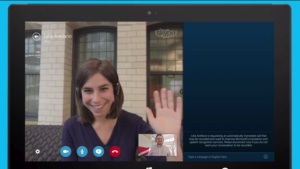
More recently, we have moved to GoToMeeting. We were introduced to GoToMeeting because one of our institute teachers was using it once our institute classes went online (more on that in a moment). This allows us to do full two-way video with everyone. People who can’t do the video can simply call in and connect via audio, so as long as you have a telephone you’re good. We can also put up PowerPoints and documents and pictures. Pre-recorded video is a complicated matter, so if we have a recorded sermon we just watch it after the rest of the service.
The limitations of GoToMeeting (the complications of putting recorded video in the stream) have been, in my opinion, outweighed by the fact that we can all see and hear one another.
This is already long, but here are some things I think we’ve learned from our Sunday morning services:
- We really want to meet in person again soon and ditch all this tech for the most part.
- The way you interact online is different than the way you interact live. To be the most effective, it’s more than just putting up a camera and doing what you always do. That’s a whole other conversation.
- The question of whether or not this is really a “church service” is complicated. The “church” is the assembly of the saints. We are not assembling. But it’s not so black and white. Although we would always see this as temporary and unusual, the fact is that we can’t be sure what all the apostles would tell us about a two-way audio video connection. I would not throw it out and say that in no sense is this the “assembly of the saints”. On the other hand, this is no replacement for the in-person assembly.
Institute Classes…
The institute classes, as I mentioned, have been on GoToMeeting. They also have probably gone better than I expected. Attendance has been good. Interaction has been good, but it’s certainly more difficult.
I think that part of the reason it’s been going so well is that our teachers, John and Frank, have been in Mexico many times and have an excellent relationship with the students. (And, of course, they’re both super-cool!) Frank both teaches and translates for John. I was wondering how that would go. Although there are some limitations, and maybe some things we can still improve, it has worked well in our case.
This has made me wonder about the future of theological education – and has encouraged me somewhat that there may be more of a place for partially remote teaching, even through translation. With the quickly changing economy affecting many Bible colleges and seminaries, we may have an opportunity to connect professors with students around the world who are hungry for good Bible training.
Bible Studies…
For our Bible studies, I’ve been using Google Meet. Google Meet is very simple video conferencing. Two way communication, as well as the ability to present (show a PowerPoint or document) has made it work fairly well in our small groups. It works well in a browser, so it’s just a matter of clicking a link. Simple is good!
In all these things, our communication on WhatsApp has generally increased – WhatsApp allows you to send videos, pictures and text securely (relatively speaking!), as well as having voice and video conversations using a normal internet connection.
Have we learned anything useful for the future?
I foresee most of what we’ve been doing online disappearing once we are able to meet together. I already recorded my sermons, so that wouldn’t change.
Of course, we would be naive to think that this will be the last virus, or last crisis, in our lifetimes. In fact, we have missed normal Sunday services here due to two different viruses, and one earthquake. And that’s just while we’ve been in Mexico!
But there are some ways in which we may be able to use what we’ve learned in the near future aside from these kinds of circumstances. For example, I’ve already talked about video conferencing as a supplement in our institute training.
We’ve also enjoyed connecting with some churches in Canada during this time, even if it’s just listening to a sermon. Maybe recorded sermons would be a way missionaries could be encouraged by their home churches.
More than that, now that many churches have seen how “easy” it is to connect remotely (easy once you get the hang of it!) – might they be able to build into their program more communication with their missionaries? Maybe have their missionaries join a prayer meeting once every month or two? Just conference call with missionaries on a schedule, to see how their doing?
I’m not suggesting we try to add a bunch of extra work for everyone. But this could be a tremendous opportunity for churches to be involved in life in the field in a way that they haven’t in the past.
You also have to wonder what might happen as more persecution or opposition comes to local churches. Would there be a place to be very tech savvy? Or would we be wise to be ready to flee technology, and think about how Jesus used 12 disciples with no social media to rock the world? Maybe there will be a place for both of these things, depending on the situation. But the emphasis will always be on personal contact – that’s how God made us. But – He also made us to be creatures that use technology, whether someone simple (and brilliant!) like a book, or more complex like a video conferencing service.
What do you think? What good/bad/neutral have you seen from the discussion in the church about technology over the past few weeks?
 But now I’ve joined the digital age. I tried two or three different apps for prayer requests, and finally settled on what I think is the best –